




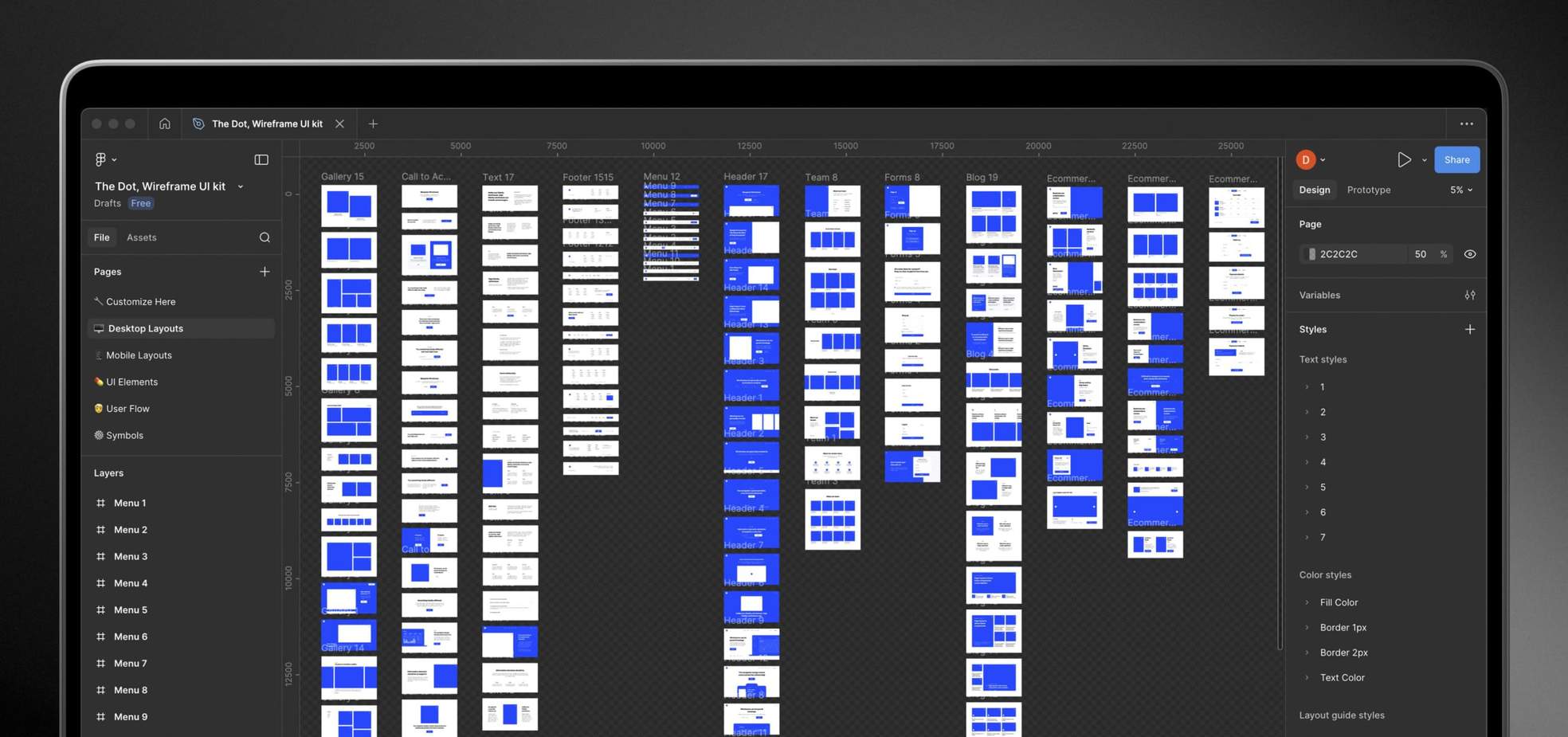
Figma
Your team works in Figma, creating module designs used to build different email layouts. Once ready, they are handed off to us for coding. You handle design and content, while we code the modules and build the emails efficiently.




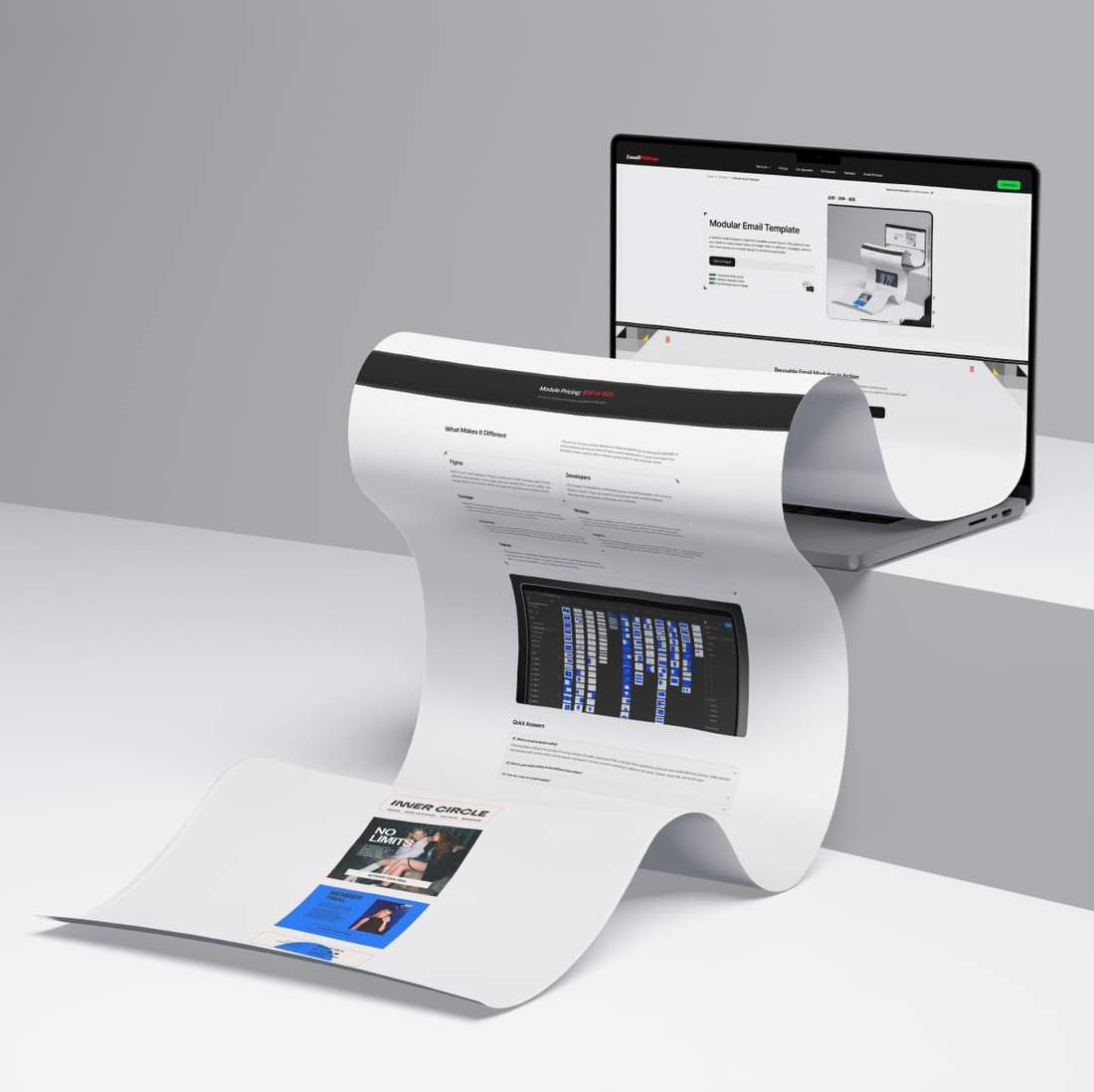
See how modules can be combined to create different email layouts. Each module serves a specific purpose, allowing existing blocks to be reused, rearranged, or combined with new ones as campaign needs evolve.


Modules are built around your brand guidelines, helping campaigns stay visually consistent as email production scales. Reusable patterns keep layouts, typography, spacing, and brand elements consistent.
As email volume grows, a modular system helps your team handle more campaigns without rebuilding the same structures each time. Reusable modules provide a reliable foundation for future layouts.
Building every campaign from scratch adds repeated design, coding, and QA work. When existing modules fit the campaign, they can reduce production time by providing a tested foundation for reuse and adaptation.
Over time, reusable modules can reduce repeated development costs as the same patterns are used across more campaigns. The more existing modules can be reused, the less development is needed for familiar sections.
Modular templates let your team mix, reorder, replace, and adapt content blocks for different campaign goals. The same system can support different layouts, audiences, products, regions, and campaign types.
A structured module system makes ongoing production easier to manage. Reusing established blocks reduces unnecessary development steps and leaves more room for testing and campaign optimization.


This service combines the flexibility of modular email production with the precision of hand‑coded development. It gives your team more control over custom layouts and a reusable system built for real campaign needs.
Your team works in Figma, creating module designs used to build different email layouts. Once ready, they are handed off to us for coding. You handle design and content, while we code the modules and build the emails efficiently.
Your project is handled by a dedicated team of email developers who know its details in depth. They can cover for one another when needed, keeping development consistent, predictable, and seamless.
Modular email templates go beyond the limitations of built-in builders, giving your design team more freedom and control over custom layouts. This helps your emails feel more distinctive while staying practical for real email clients.
Responsive behavior can be tailored for each module, giving you more control over how emails adapt to smaller screens. Our coding standard allows us to match the mobile version to your design and layout requirements.
Each module has a fixed price, keeping pricing simple and transparent. Standard Modules are $35, while Mini or mirrored modules are $15. All add-on options are included, so the final total depends only on the modules ordered.
Where the ESP supports a modular workflow, we can adapt your modular email template to the platform's requirements. HTML is structured for reliable use, with editable content and modules where the platform allows it.
Best for teams sending emails regularly, reusing similar layouts, or managing multiple campaigns, products, or audiences. A modular system reduces repeated work and becomes more valuable as your email program grows.
The value goes beyond reusable modules. Instead of treating every email as a separate build, we stay closely involved, retain project context, and help evolve a reusable system around your recurring campaign needs. This makes ongoing production more efficient, consistent, and reliable over time.
Standard ESP builders are useful for straightforward emails, but they can limit design freedom, responsive control, and technical precision. Hand‑coded modules let your system follow your designs rather than a builder's preset structures, while giving us greater control over responsive behavior and rendering across email clients.
This service is built around collaboration between your team and ours. Your team shapes the design direction, content, and campaign needs, while we handle the hand‑coded development, QA, and technical structure behind the modules. This keeps design decisions with your team while we manage the technical email production behind the system.
Here is a real modular system built around one brand. These emails reuse the same module library in different combinations, showing how campaigns can vary in layout and content while staying consistent and on brand.


Here are two common approaches based on how your email system is built and how you plan to grow it over time.
If you are building a long-term email system, we start with core modules such as a header, footer, intro section, product cards, and CTAs, then add and code new content blocks as your campaigns evolve.
This approach lets you scale gradually and reuse well-tested modules over time. It works well for teams that prefer an iterative approach, with a reliable partner handling the technical side.
If you already have designs for all required blocks, we code a complete master template with the modules you need, including headers, banners, product cards, buttons, footers, and more.
This approach works well when your ESP supports reusable custom modules, giving your team greater independence and a reusable system for ongoing email production.
Explore sample module orders and see how pricing is calculated. Each example shows the number of Standard and Mini Modules, included options, and the final total. Use Inbox Preview to see how the finished email renders across major email clients and mobile devices, and More Details for a short project summary.
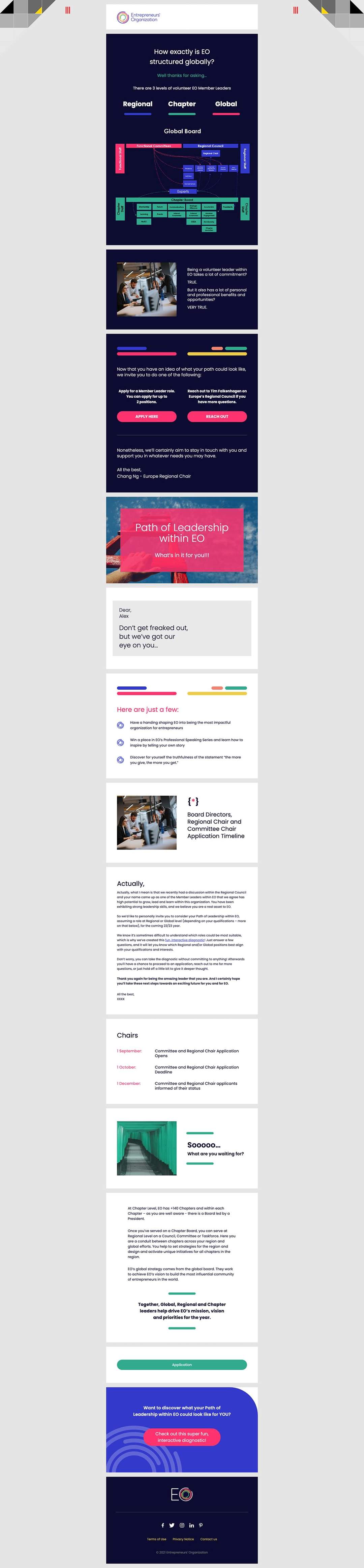
This leadership campaign was developed as a flexible email system with 10 standard and 2 mini modules. Each reusable section was coded with email-safe HTML, Responsive layout, Retina-ready graphics, and Outlook support, allowing the client to assemble future emails while keeping the design consistent.
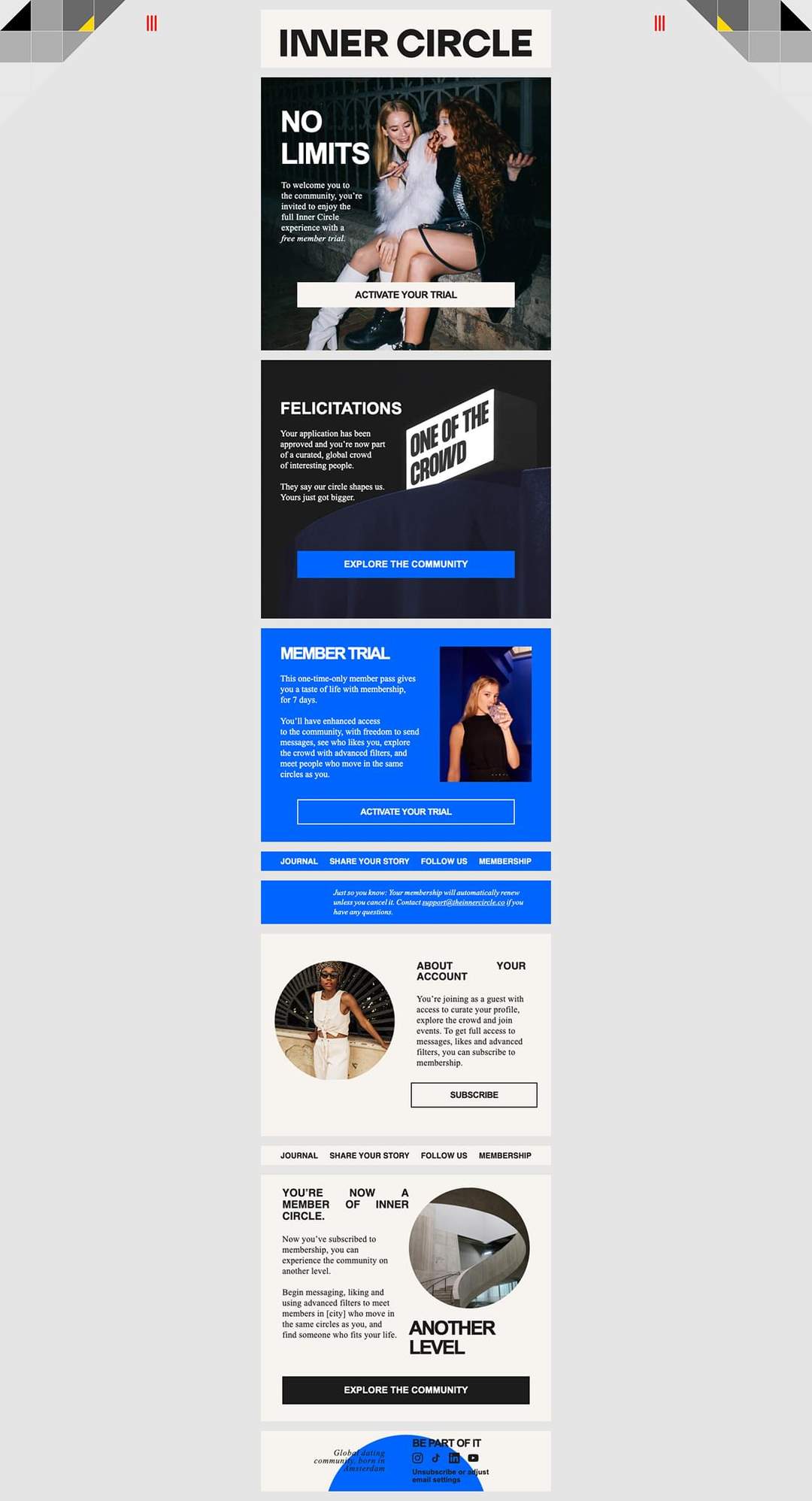
This membership campaign became a reusable email system with 6 standard and 3 mini modules. The bold editorial design, image-led sections, trial CTAs, navigation bars, and account blocks were coded as flexible, email-safe components, giving the client multiple ways to assemble future campaigns with a consistent brand look.

Have questions about building a reusable email module system?
Browse the FAQ for clear answers on module libraries, Standard and Mini Modules, one‑off emails, ESP adaptation, ongoing production, pricing, and brand consistency.
Yes. Existing email templates can be broken down into separate modules instead of being handled as isolated one‑off builds. We can identify the sections already repeated across your templates, such as headers, footers, content blocks, and CTAs, then define the modules that are most useful to create first and code them to our production standards. This gives you a practical starting library based on patterns your team already uses.
No. The full module library does not have to be planned from the start. We can begin with the core modules your team needs first, then expand the system over time as new campaign goals and content needs appear. This keeps the first stage focused and practical. The goal is not to build the largest possible library, but the right set of reusable modules for the way your team actually works.
We define each module by looking at both the visual layout and the HTML structure needed for reliable email production. A good module should work as a self-contained block, with its own structure and responsive behavior. Smaller reusable elements can also become useful modules, which is why we offer both Standard Modules and Mini Modules. The goal is a system that stays practical to build, reuse, and maintain over time.
If an email does not fit your existing module system, we can treat it as a fully custom email template instead. In that case, the Email Template tab on the Order Now page is usually the better path, because it lets you define the delivery time, layout type, and add‑on options more precisely. This keeps the modular system focused while still giving you a clean way to handle one‑off campaign needs.
Yes, when the library is planned with enough flexibility. Shared modules can support both marketing and transactional emails, while campaign-specific blocks handle different content and functional needs. This keeps both email types consistent and on brand without forcing them into the same layouts.
Yes. As your module library grows, your team can create new campaign layouts in Figma using existing modules and final content. When new modules are needed, we code them into HTML as part of the production workflow, then assemble the complete email and test it across email clients and devices. This lets your team stay focused on design and content while we handle the technical email production behind the system.
After the module library is ready, ongoing email production is usually priced on a time‑and‑materials basis based on the actual work required for each new email. The scope depends on content, layout assembly, adjustments, and QA. This keeps pricing tied to the real production work behind each build.
If your ESP supports reusable custom modules, we can adapt the module library for use inside the platform. If it does not, or if you prefer to keep email assembly outside the ESP, we can use the modular system in our production workflow, assemble and test each email, and deliver finished HTML adapted for your ESP.
Yes. Your module library can be built around your existing brand guidelines or design system, so future emails feel like a natural extension of your website and overall brand identity. We translate your key content blocks, visual language, spacing, typography, and reusable patterns into email‑ready modules that stay consistent across campaigns. Where appropriate, a Google Font can also be included, with reliable fallbacks depending on email client support.
A modular email workflow is a strong fit when your team sends emails regularly, reuses recurring layout patterns, or has multiple people involved in production. It provides a reusable foundation that can be adjusted and expanded as campaign needs change. If you send only a few simple campaigns and your ESP builder already covers your needs, a full modular system may not be necessary.
Tell us what you have and what you need. We'll help shape your order so you can move forward with confidence.


