



Outlook HTML Email Templates
-
Hand-Coded

-
Outlook Compatibility

-
Outlook Email Template


- 品質
- 効率
- 成長
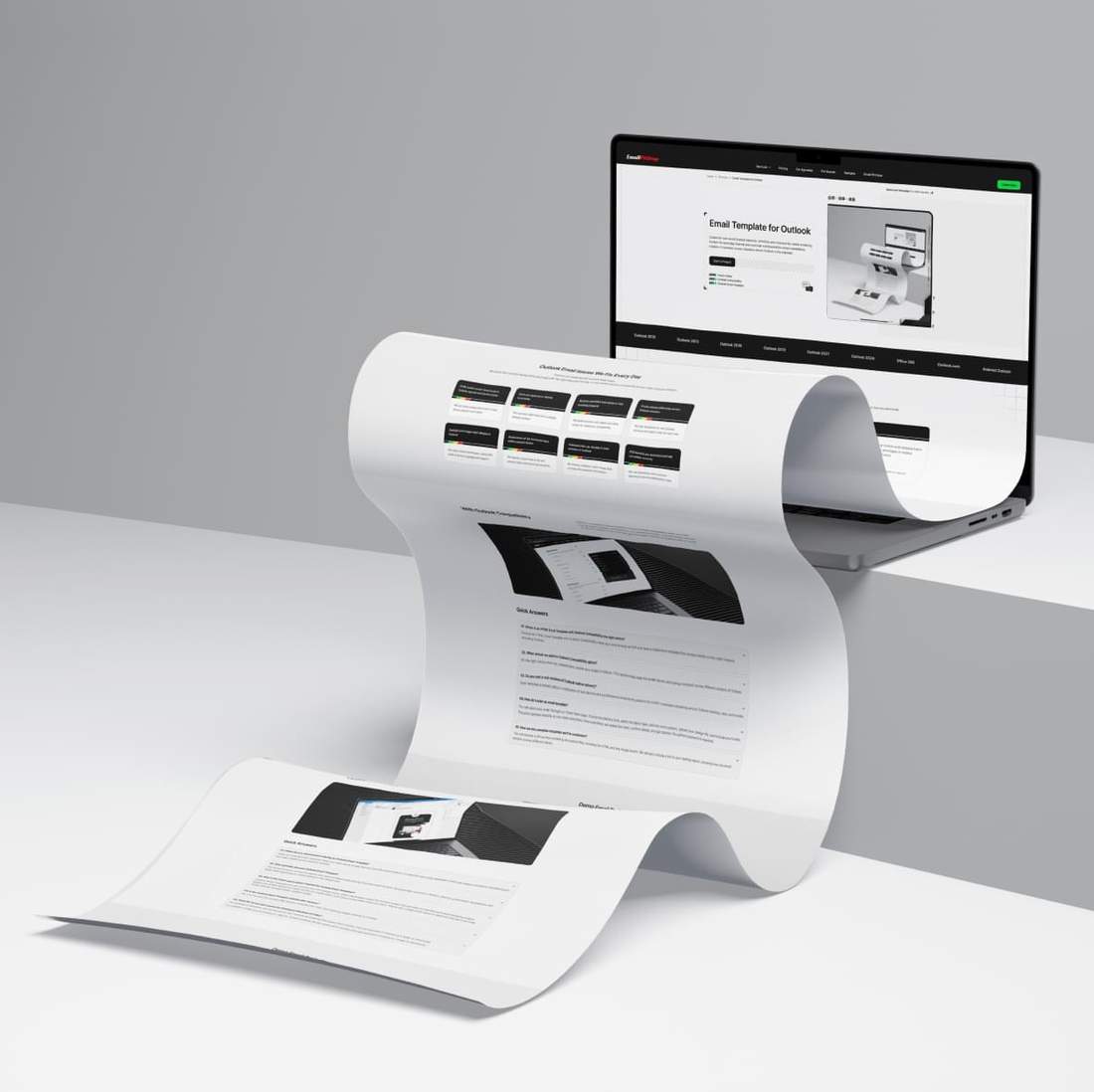


Two Ways To Support Outlook
Outlook often plays a role in your email workflow. Compare both solutions and choose the right option based on how you send email.
-
Email Template with Outlook Compatibility
You provide the email design, and we convert it into a template you can send through any ESP. We apply Outlook specific fixes and testing so it renders consistently across major Outlook versions.
What You Get
- Responsive Layout (mobile version) or Fixed Layout (mobile friendly)
- Send through any ESP or your in-house platform
- You Receive: HTML File
-
Outlook Email Template
You provide the email design, and we build an Outlook email template that is easy to update. Your team can edit text, links, and images as needed. Send branded emails directly from Microsoft Outlook.
What You Get
- Fixed Layout (mobile friendly)
- Send from Outlook Classic (Microsoft 365) on Windows or macOS
- You Receive: OFT or EMLTPL File

Common Outlook Email Issues We Fix
Outlook can break email layouts in predictable ways. Consistent rendering across Outlook versions requires Outlook-specific coding, technical workarounds, and careful QA. Below are some of the most common Outlook rendering issues.
-
Outlook breaks HTML email layouts and block structure
Table-based code helps preserve layout stability
-
Fonts are replaced or display incorrectly
Web safe fonts with reliable fallbacks ensure consistent display
-
Buttons and links lose styles or stop working properly
Inline styles and bulletproof coding preserve functionality
-
Outlook versions render the same email differently
Version-specific testing helps catch Outlook rendering differences early
-
Background images don't display in Outlook
Hybrid techniques and VML code maintain background image support
-
1px horizontal lines appear within content blocks
QA and technical fixes help remove unwanted Outlook lines
-
Animated GIFs don't play in older versions of Outlook
A fallback static image preserves the essential message
-
CSS borders are restricted and may not render correctly
Alternative structures help reproduce the intended border appearance
With Outlook Compatibility
Outlook is a common inbox in business. Choose Outlook Compatibility when you need your template to render consistently. If your audience includes corporate teams, partners, or decision-makers, many will read your message in Outlook on desktop, web or mobile.
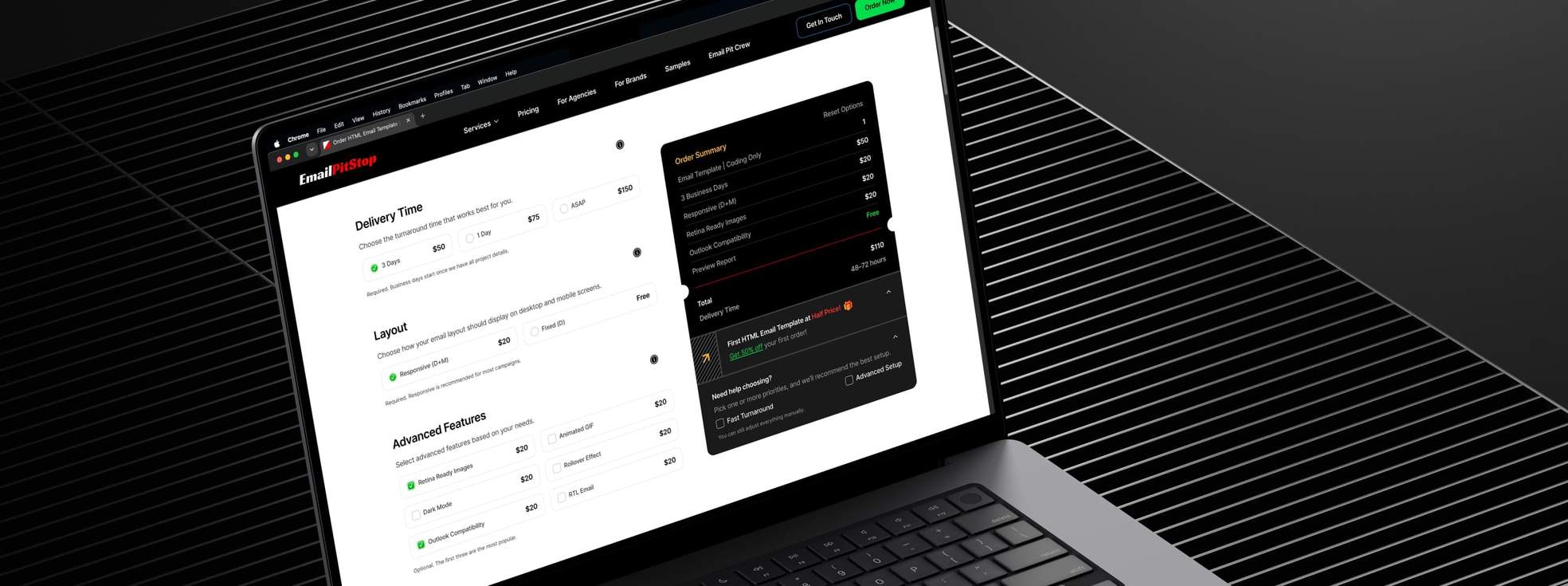
Quick Answers
When should I add Outlook Compatibility to an HTML Email Template?
Choose an HTML Email Template with Outlook Compatibility when you send through an ESP or in‑house platform and need a responsive email that stays reliable across major inboxes, with added protection for Outlook. This option is especially valuable when your audience includes people reading email in Outlook on desktop, on the web, or in the mobile app, and you want more confidence that the layout and styling will hold up there.
Is Outlook Compatibility a common choice for business emails?
Outlook Compatibility is one of the most commonly selected options for business email. In our order flow, about one in three HTML email template orders includes it. This tells us many clients either know Outlook is part of their audience mix or want extra confidence that their email will hold up reliably across the many Outlook environments where it may be opened.
Do you test the template in real Outlook environments before delivery?
Yes. Each template is tested before delivery using a combination of real devices, a professional email testing platform, and QA review. This helps confirm stable rendering across Outlook on desktop, on the web, and on mobile. If any issues appear during testing, the template goes through another round of fixes and review until the issues are addressed and the template is ready for handoff.
Sample Email Template Orders
Explore email templates with Outlook Compatibility and see how pricing is built. Each card shows the final total for that setup.
Use Inbox Preview to check rendering across Outlook versions, major email clients, and mobile devices.


HTML Email Template
Built from the supplied mobile app launch design, this responsive HTML email combines app store CTAs, feature cards, a testimonial, and quick-start steps. It was coded with email-safe HTML, Retina-ready assets, and Outlook compatibility for dependable rendering across major email clients and devices.
- HTML size
- 29 KB
- W3C validation
- Passed
-
Email TemplateCoding Only
-
3 Business Days$50
-
Responsive Layout$20
-
Retina Ready Images$20
-
Outlook Compatibility$20
-
Preview ReportFree
-
Extended SupportFree
-
HTML CommentsFree
-
Image HostingFree
-
Google FontsFree
-
Template ImportFree


HTML Email Template
This business services email was completed within one business day and built to render consistently across major inboxes. Retina-ready visuals, pricing tables, service sections, and key calls to action were coded with email-safe HTML, with added Outlook support for consistent rendering across Outlook versions.
- HTML size
- 31 KB
- W3C validation
- Passed
-
Email TemplateCoding Only
-
1 Business Day$75
-
Responsive Layout$20
-
Retina Ready Images$20
-
Outlook Compatibility$20
-
Preview ReportFree
-
Extended SupportFree
-
HTML CommentsFree
-
Image HostingFree
-
Google FontsFree
-
Template ImportFree
Outlook Email Template
Many professionals and marketing teams send email campaigns directly from Microsoft Outlook. We build Outlook templates that work reliably in the editor. Open the file, update content, and send polished, branded emails using the workflow you already know.
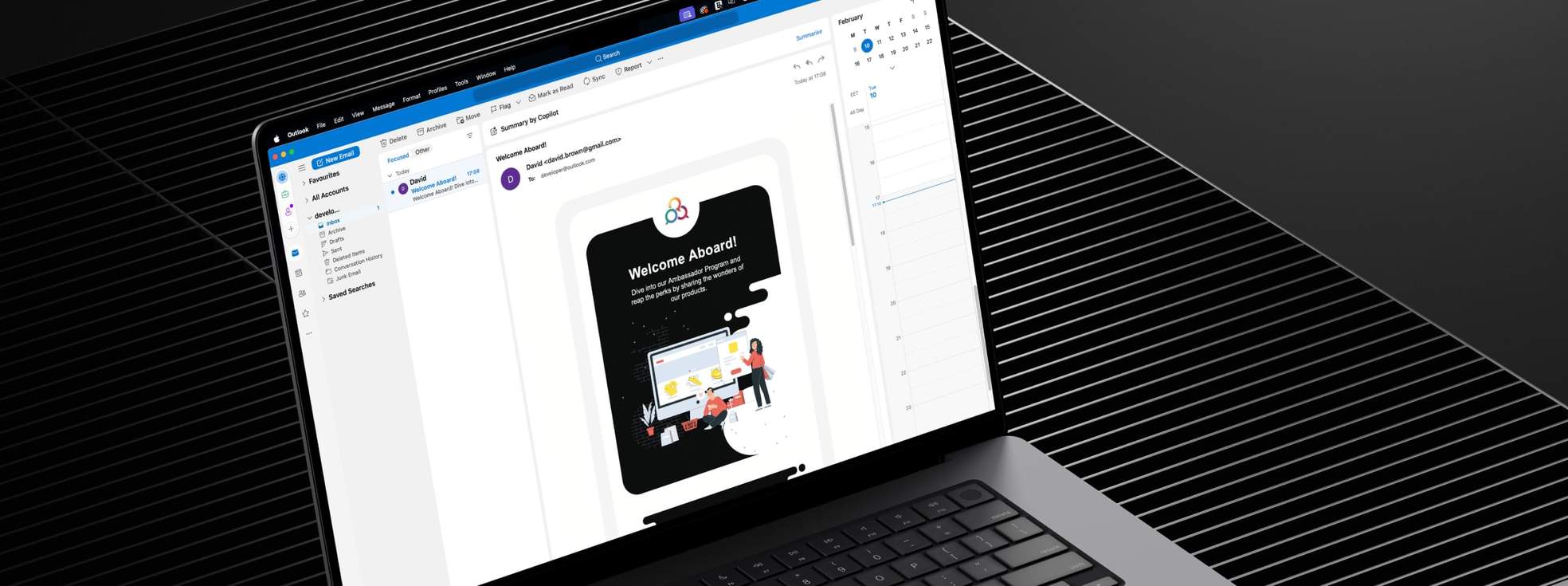
Quick Answers
When should I choose an Outlook Email Template?
Order an Outlook Email Template when your team sends branded emails directly from Microsoft Outlook and needs a layout that stays stable in that workflow. It is a practical choice for recurring internal or customer communication where consistency, easy editing, and predictable rendering matter. There is clear market demand for this format, which is why we created a dedicated Outlook Template tab on our Order Now page.
Why do Outlook Email Templates use a fixed layout?
Fixed Layout is required for Outlook Email Templates because this format is sent directly from Microsoft Outlook, where support for modern email CSS is limited. Responsive emails rely on media queries and more advanced styling, but those controls do not hold up reliably in this workflow. A fixed layout creates a more dependable structure from the start, while still being designed to stay mobile‑friendly on smaller screens.
Can I edit the Outlook Email Template after delivery?
Yes. We first build the HTML and then convert it into the Outlook Email Template your team will use, either as an OFT file for Windows or an EMLTPL file for Mac. A double‑click opens it directly in Outlook, where you can update text, links, and images in a familiar editing workflow. This makes it a practical format for recurring branded communication, while still giving you the flexibility to make last‑minute content updates before sending.
Sample Outlook Email Template Orders
Explore Outlook Email Templates your team can send directly from Microsoft Outlook. Edit text and links, and replace images with your own.
Use Inbox Preview to see how the template renders across Outlook versions and major email clients.
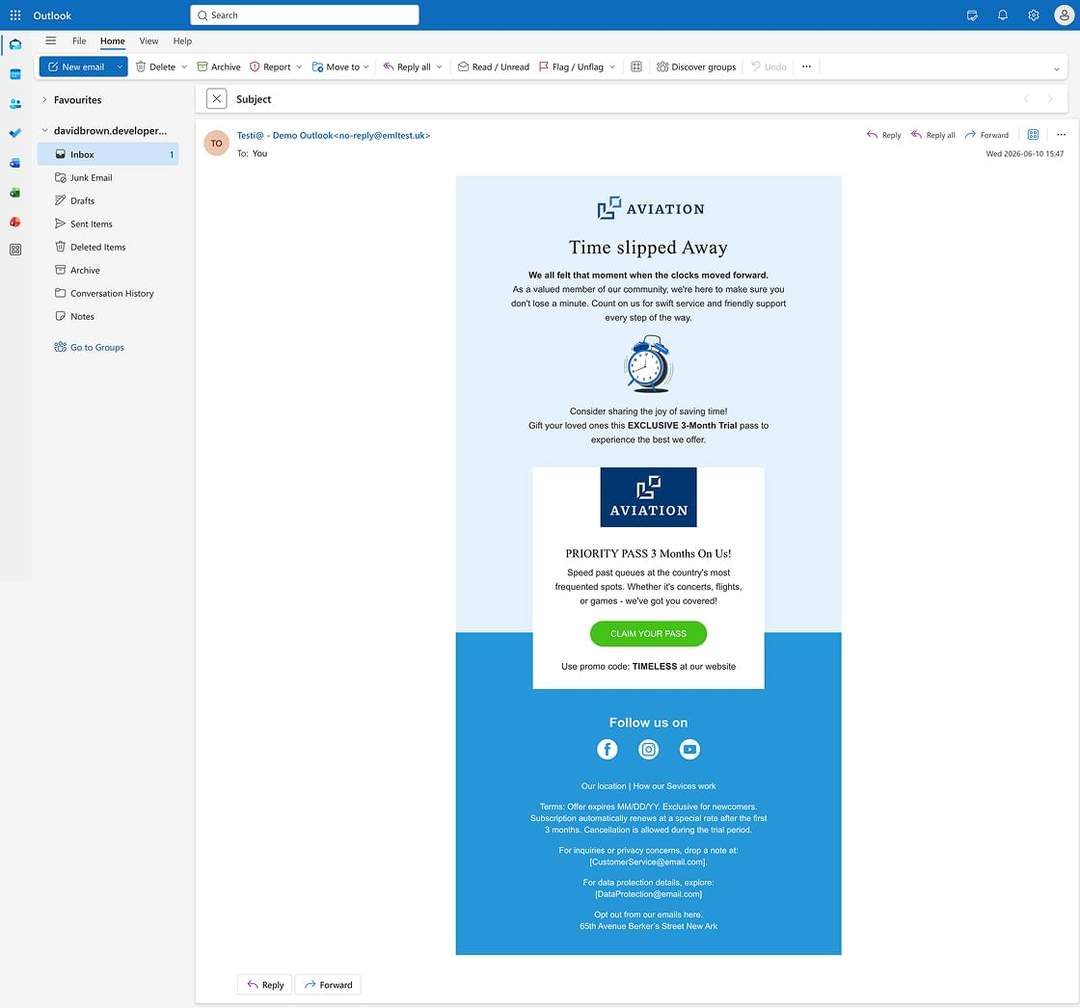
Outlook Email Template
Delivered within three business days, this promotional trial campaign was adapted for Outlook on Windows. The offer card, promo code, CTA, and social links were recreated with email-safe HTML and Retina-ready graphics, giving the campaign a polished structure ready for direct distribution.
- HTML size
- 9 KB
- W3C validation
- Passed
-
Outlook TemplateCoding Only
-
3 Business Days$50
-
For Outlook (Win)$30
-
Retina Ready Images$20
-
Preview ReportFree
-
Extended SupportFree

Outlook Email Template
This detailed cleaning service promotion became a reusable Outlook template for Mac within one business day. Its discount offer, image-rich sections, booking CTA, and three-step process were recreated with email-safe HTML and Retina-ready graphics, showing that complex designs can work smoothly in Outlook.
- HTML size
- 17 KB
- W3C validation
- Passed
-
Outlook TemplateCoding Only
-
1 Business Day$75
-
For Outlook (Mac)$30
-
Retina Ready Images$20
-
Preview ReportFree
-
Extended SupportFree
Expertise Across Different Industries
We build Outlook-ready email templates you can send directly from Microsoft Outlook.
This format is common when approvals are strict and rendering must stay predictable, across regulated teams and everyday marketing workflows.
Our experience spans healthcare and life sciences, finance, insurance, funds, real estate, agencies, and other key industries.


Tested Across Email Clients
We test on real devices and using a professional email testing platform before delivery. We validate responsive behavior, image scaling, font rendering, spacing, and common email client quirks in the inboxes your audience actually uses. Issues are caught early, the code stays clean, and templates remain consistent across desktop, mobile, and webmail.


-
Outlook ClassicOutlook 2024Windows 11
-
Outlook ClassicOutlook 2024Windows - Dark
-
Outlook ClassicOutlook 2024Windows - 120 DPI
-
Outlook ClassicOutlook 2021Windows
-
Outlook ClassicOutlook 2021Windows - 120 DPI
-
Outlook ClassicOutlook 2021Windows - 150 DPI
-
Outlook ClassicOutlook 2021Windows - Dark
-
Outlook ClassicOutlook 2019Windows
-
Outlook ClassicOutlook 2019Windows - 120 DPI
-
Outlook ClassicOffice 365Windows 11
-
Outlook ClassicOffice 365Windows
-
Outlook ClassicOffice 365Windows - Dark
-
Outlook ClassicOffice 365Windows - 120 DPI - Dark
-
Outlook ClassicOffice 365Windows - 120 DPI
-
Outlook ClassicOutlook 2016 pro plusWindows
-
Outlook ClassicWin 11 MailWindows
-
Outlook ClassicWin 11 MailWindows - Dark
-
Outlook ClassicWin 10 MailWindows
-
Outlook ClassicOutlook 2013Windows
-
Outlook ClassicOutlook 2013Windows - 120 DPI
-
Outlook ClassicOutlook 2010Windows
-
Outlook ClassicOutlook 2007Windows
-
OutlookOffice 365macOS - Ventura
-
OutlookOffice 365macOS - Ventura - Dark
-
OutlookOutlook 2016macOS - Ventura
-
Apple MailApple SummarizemacOS
-
Apple MailMailmacOS - Sequoia
-
Apple MailMailmacOS - Sequoia - Dark
-
Apple MailMailmacOS - Sonoma - Dark
-
Apple MailMailmacOS - Sonoma
-
Apple MailMailmacOS - Ventura
-
Apple MailMailmacOS - Ventura - Dark
-
Apple MailMailmacOS - Monterey - Dark
-
Apple MailMailmacOS - Monterey
-
Apple MailMailmacOS - Big Sur
-
Apple MailMailmacOS - Big Sur - Dark
-
Mozilla ThunderbirdThunderbird v140Windows - Dark
-
Mozilla ThunderbirdThunderbird v140Windows
-
Mozilla ThunderbirdThunderbird 115Windows
-
Apple Mail AppiPhone 16iOS 18
-
Apple Mail AppiPhone 16 PlusiOS 18
-
Apple Mail AppiPhone 16 Pro MaxiOS 18 - Dark
-
Apple Mail AppiPad 11iOS 18
-
Apple Mail AppiPhone 15iOS 17
-
Apple Mail AppiPhone 13 miniiOS 17
-
Apple Mail AppiPhone 15 ProiOS 17 - Dark
-
Apple Mail AppiPhone 15 Pro MaxiOS 17
-
Apple Mail AppiPhone 14iOS 16
-
Apple Mail AppiPhone 14iOS 16 - Dark
-
Apple Mail AppiPhone 14 PlusiOS 16
-
Apple Mail AppiPhone 14 Pro MaxiOS 16
-
Apple Mail AppiPhone 13 Pro MaxiOS 15
-
Apple Mail AppiPhone 13iOS 15
-
Apple Mail AppiPad Pro 12.9-iniOS 15
-
Apple Mail AppiPad Air (4th gen)iOS 15
-
Apple Mail AppiPhone 12 Pro MaxiOS 14
-
Apple Mail AppiPhone 12 ProiOS 14
-
Apple Mail AppiPhone 12 miniiOS 14
-
Apple Mail AppiPhone XRiOS 14
-
Apple Mail AppiPhone 11 Pro MaxiOS 13
-
Apple Mail AppiPhone 11 ProiOS 13
-
Apple Mail AppiPhone 11iOS 13
-
Apple Mail AppiPad miniiOS 13
-
Apple Mail AppiPad Air 3iOS 13
-
Apple Mail AppiPhone XS MaxiOS 13
-
Apple Mail AppiPhone XSiOS 13
-
Apple Mail AppiPad Pro 10.5-iniOS 13
-
Apple Mail AppiPad Pro 12.9-iniOS 13
-
Apple Mail AppiPhone 8iOS 13
-
Apple Mail AppiPhone 7iOS 11
-
Apple Mail AppiPhone 7 PlusiOS 11
-
Apple Mail AppiPhone 6iOS 11
-
Gmail AppiPhone 12 PlusiOS 15
-
Gmail AppiPhone 12 miniiOS 15
-
Gmail AppiPhone 14iOS 16
-
Gmail AppiPhone 14 PlusiOS - Dark
-
Gmail AppiPhone 14 ProiOS
-
Gmail AppiPad Pro 12.9-iniOS
-
Gmail AppiPhone 11iOS 13
-
Gmail AppiPhone XSiOS 13
-
Outlook AppiPhone 14iOS
-
Outlook AppiPhone 14 PlusiOS - Dark
-
Outlook AppiPhone 11iOS
-
Outlook AppiPhone 8iOS - Dark
-
Yahoo AppiPhone 14iOS 16
-
Yahoo AppiPhone 14 ProiOS - Dark
-
Yahoo AppiPhone 14 PlusiOS - Dark
-
Yahoo AppiPad Pro 12.9-iniOS
-
Gmail AppAndroid 14Android - Pixel 7 Pro
-
Gmail AppAndroid 14Android - Pixel 8
-
Gmail AppAndroid 13Android - Pixel 6
-
Gmail AppAndroid 13Android
-
Gmail AppAndroid 13Android - Dark
-
Gmail AppAndroid 12Android - Dark
-
Gmail AppAndroid 12Android
-
Gmail AppAndroid 11Android
-
Gmail AppAndroid 11Android - Pixel 4
-
Gmail AppAndroid 11Android - Pixel 4 XL
-
Gmail AppAndroid 10Android
-
Gmail AppAndroid 10Android - Dark
-
Gmail AppAndroid 9Android
-
Gmail AppAndroid 7Android
-
Gmail AppAndroid 6Android - Mail imap
-
Outlook AppAndroid 13Android - Pixel 6
-
Outlook AppAndroid 11Android
-
Outlook AppAndroid 11Android - Dark
-
Yahoo AppAndroid 13Android - Pixel 6
-
Yahoo AppAndroid 14Android - Pixel 7 Pro - Dark
-
GmailChromeBrowser
-
GmailFirefoxBrowser
-
GmailSafariBrowser
-
GmailG SuiteBrowser
-
GmailEdgeBrowser
-
Outlook.comChromeBrowser
-
Outlook.comFirefoxBrowser
-
Outlook.comSafariBrowser
-
Outlook.comChromeBrowser - Dark
-
Outlook.comEdgeBrowser
-
Outlook.comOffice 365Browser
-
YahooChromeBrowser
-
YahooEdge DBrowser
-
YahooFirefoxBrowser
-
YahooSafariBrowser
-
AOL MailChromeBrowser
-
AOL MailFirefoxBrowser
-
T-online.deChromeBrowser
-
T-online.deFirefoxBrowser
-
Web.deFirefoxBrowser
-
GMX.deChromeBrowser
-
Freenet.deChromeBrowser
-
Proton MailChromeBrowser
-
RoundcubeChromeBrowser

Frequently Asked Questions
Have questions about choosing the right Outlook email solution?
Browse the FAQ for clear answers on Outlook Compatibility, Outlook‑ready templates, OFT and EMLTPL files, fixed layouts, ESP sending, and how to start the right project.
How do I start an HTML Email Template with Outlook Compatibility project?
To start an Email Template with Outlook Compatibility project, open the Email Template tab on the Order Now page, choose your delivery time and layout type, and add Outlook Compatibility under Advanced Features. Then upload your design file and include any useful notes, links, or ESP requirements. After submission, we review the details and confirm the right setup before coding begins.
How do I start an Outlook Email Template project?
To start an Outlook Email Template project, open the Outlook Template tab on the Order Now page and select your delivery time, whether the template is for Outlook on Windows or Mac, and any extra options you need. Then upload your design file and add any useful notes or links. After submission, we review the details and confirm the right Outlook setup before coding begins.
What will I receive with each Outlook solution?
For an Email Template with Outlook Compatibility, you receive an HTML email file built for sending through your ESP or in‑house platform, with Outlook‑specific fixes applied as needed. This is often delivered as a Responsive Layout.
For an Outlook Email Template, you receive an Outlook‑ready OFT file for Windows or an EMLTPL file for Mac for direct use in Microsoft Outlook, along with the fixed‑layout HTML file used as the base for the final Outlook template.
What changes if I do not add Outlook Compatibility?
You will still receive a professionally built email template, but it will not include the extra Outlook‑specific layer of fixes used to improve consistency across Outlook versions.
In practice, the email may still look good overall, but some Outlook environments can show more variation in certain details than a version prepared with Outlook Compatibility.
What if part of my design is not supported by Outlook?
If your design includes elements Outlook does not support, we review them before coding starts and discuss questionable areas in advance. Many Outlook limitations can be handled with proven workarounds or reliable alternative solutions that stay as close as possible to the original design. This helps keep the final result aligned with your goals while staying stable in Outlook.

Ready to Talk About Your Project?
Tell us what you have and what you need. We'll help shape your order so you can move forward with confidence.

